Loading
Customer experience · Portal
Live+Portal approvals with urgency context — not just a price list
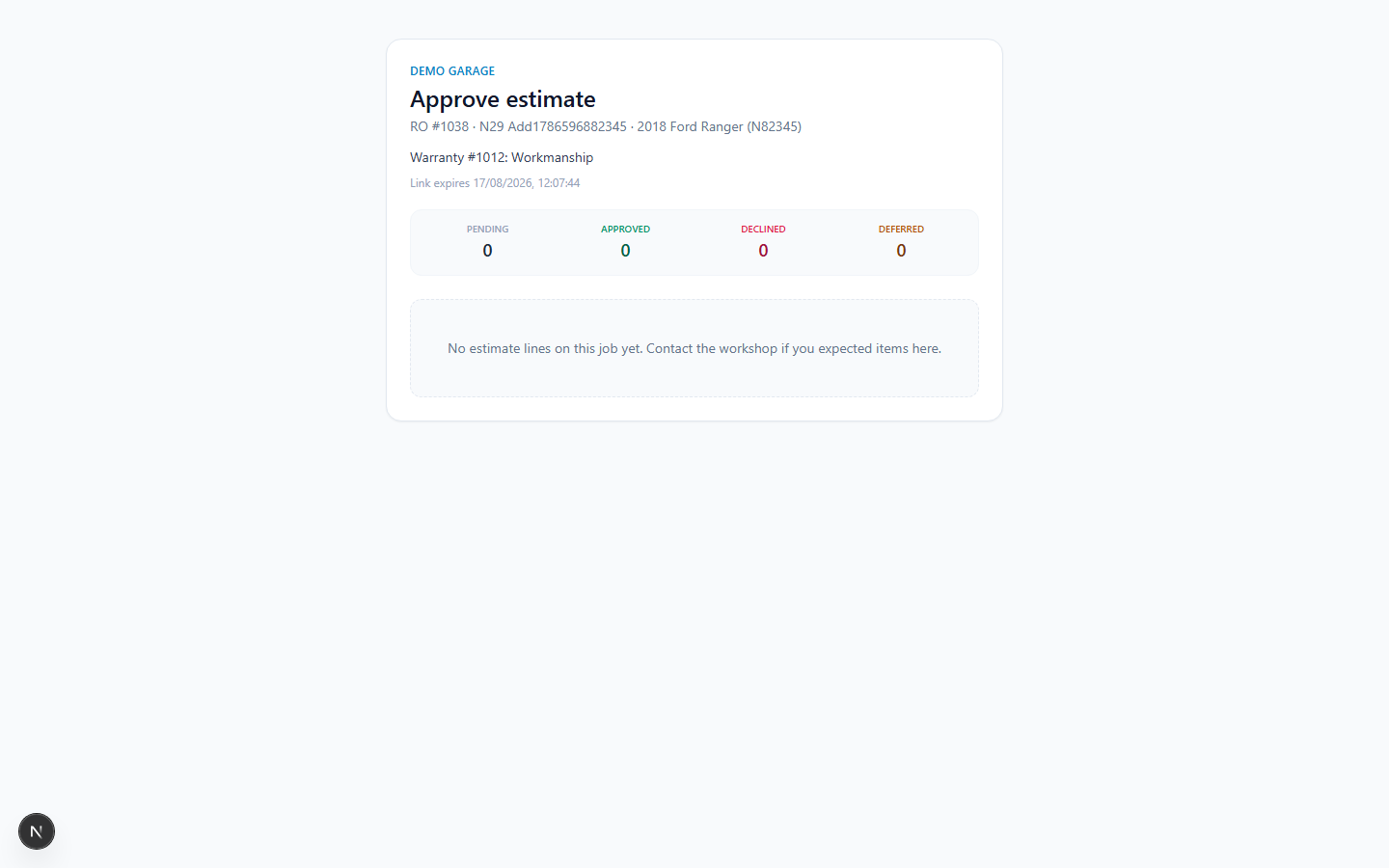
Customers approve, decline, or defer estimate lines via a mobile-friendly portal link. Trust mode classifies each line as Urgent / Advisory / Cosmetic — customers decide with context, not just a price.
Primary persona: Customer + service advisor
The problem
What breaks without this process
Customers approve or decline blindly without understanding safety urgency — advisors get bad approval rates and dispute risk.
Why it matters
Rationale — profit, risk, and shop floor truth
- 01
Urgency classification (Urgent / Advisory / Cosmetic) raises approval rates on safety work by giving context.
- 02
Per-line decisions mean partial approvals are handled cleanly — no all-or-nothing friction.
- 03
Deferred lines enter the recovery pipeline automatically — nothing is lost.
- 04
No login required for customers; SMS or email deep-link delivery.
Proof from the live demo
Real UI — not a pitch mockup
Captured from the seeded multi-tenant demo. Open the same surface with demo credentials.
live demo capture
Stage sequence
Step-by-step use case
Each stage lists the action, the business why, and the intended outcome. This is how we implement and test the product — not marketing fiction.
- 01
Advisor classifies estimate lines
Action
For each line, set trust label: Urgent (safety), Advisory (recommended), or Cosmetic (optional enhancement).
Why this stage
Portal shows lines with colour-coded urgency — not just a list of prices. Trust labels are Live+; urgency classification UI continues to improve.
Surface: RO / estimatesOutcome: Lines colour-coded by urgency - 02
Customer receives portal link
Action
Portal link sent via SMS or email. Customer opens on phone — no login required.
Why this stage
Branded portal loads with vehicle name, repair summary, and classified line list. SMS delivery requires Twilio keys; email delivery is Live.
Surface: /portal/:tokenOutcome: Customer sees portal on phone - 03
Customer approves, defers, or declines per line
Action
Customer toggles each line: Approve / Defer (next visit) / Decline (with reason).
Why this stage
Advisor sees approval status update in real time; board advances automatically on full approval.
Surface: PortalOutcome: Line states set; board updated - 04
Advisor acts on partial approval
Action
If some lines approved and some deferred: board shows Partially Approved; advisor confirms reduced scope and starts job.
Why this stage
No work starts on unapproved lines; deferred lines enter recovery pipeline automatically.
Surface: Board / ROOutcome: Scope locked; deferred lines queued
Related search intent
- customer portal trust mode
- estimate approval urgency workshop
- portal approve decline AU